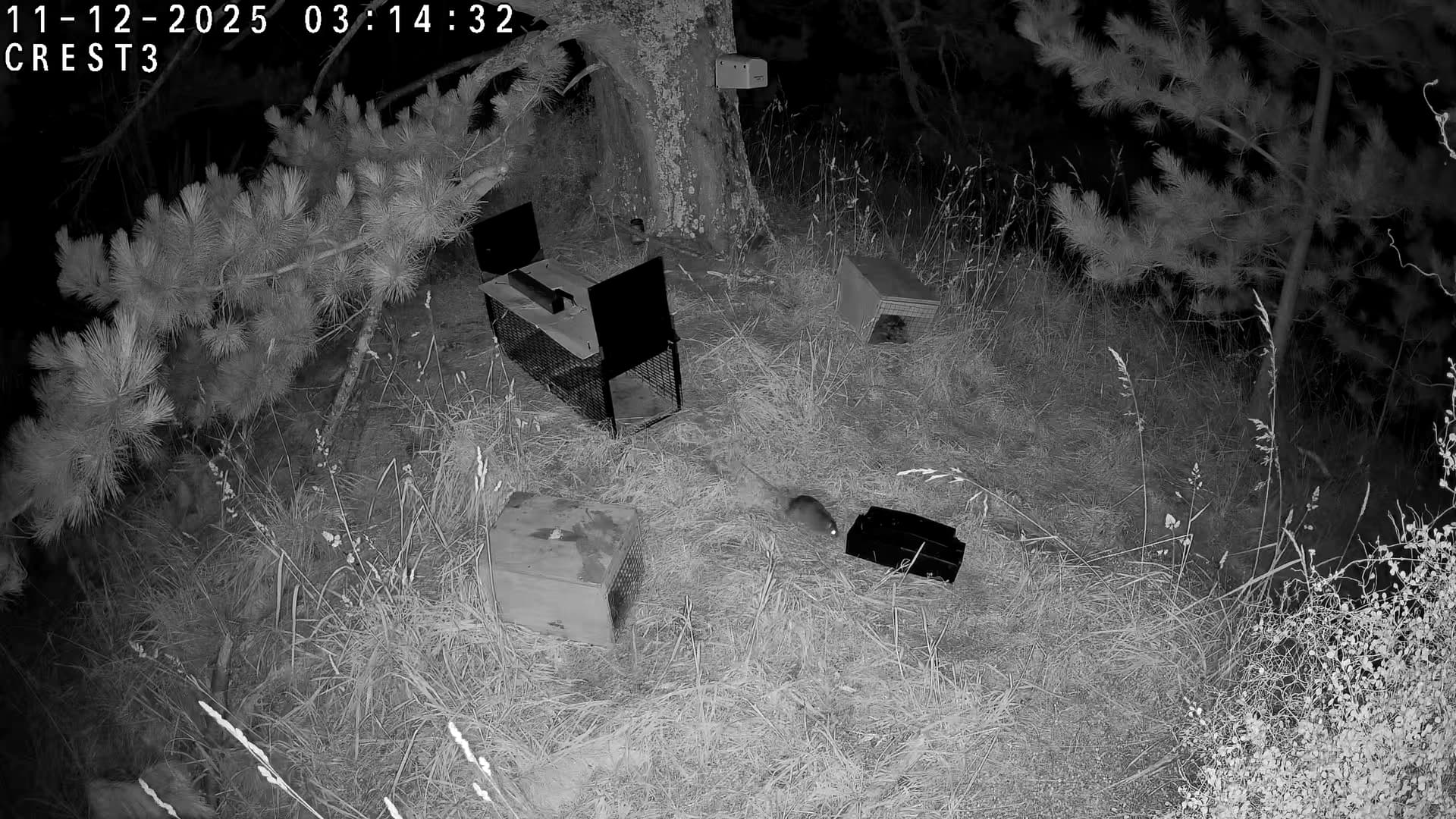
Hi everyone,
I’ve just released on github my take on using object detection to speed up the review of batches of trail camera images. Predator Classifier app I have another project in mind (currently in development) and along the way wanted to speed up the creation of an accurate detection model for classifying predators seen in trail camera images. So I have developed a tool that does an initial scan and files images (as copies) into folders relating to any animal detected. The user can then review these images and make final corrections to end up with a ‘correct’ filing of images and a csv summary (original filename, datetime of image capture if found, initial detection, corrected detection). This then gives some good data showing any weaknesses in the detection model for re-training new versions.
Please feel free to download (Releases v1.0.0 - Initial public release) and have a play. The layout is still a bit rough. I’ll probably have to make this more responsive to smaller screen sizes.
When running this on my pc with 3ghz processor and 32gb ram, it is scanning approx 1000 images in about 8-10 minutes. After this initial detection, it takes me about 15-20 minutes to then manually scan through the images again and make any corrections.
Would be happy for some feedback. And also if anyone is happy to share trail camera images of rare classes (kiwi, ferret) I’d be delighted to include these in future detection models for sharing.
The initial detection model is created on top of approximately 7000 images from about 60 trail cameras so a reasonable diversity of lighting, distance to bait station etc. Your own trail camera images may not be detected quite as well (depending on environment) but I will be releasing in the near future some instructions on how you could build up your own detection model specific to your trapping project and still be able to plug that in to the tool I am sharing now.
Hi @davo36,
Thanks for the offer! This would be a big help.
If not too much bother, could you please email to hamish_maxwell@hotmail.com
For anyone interested in this kind of tech, I’m currently working on guidelines / instructions for how other trapping groups could build their own detection model which will perform much better for their own set up than my generic model. Where I’m trying to get to is that the generic model is improved to speed up other users workflow. There is free software to be used. For the 7000 images I’ve currently trained the detection model on, this took about 3 days, but this was from already filed / classified images.
Thanks for the contact.
I’ll be posting more on this subject in the near future.
I started an app in QGIS too. Because I was not happy with the TrapNZ camera records or the ZIP free app. Corax Classifier
I soon wanted to see if there is a standard way of recording camera traps so that we can aggregate and exchange data. There is! It is called Camtrap DP. I hope you are using it. More details. It would be great if TrapNZ worked towards supporting Camtrap DP and extending the attribute tables to handle more attributes such as sex, age, activity in a standard way.
While I was searching I found another Classifier Wildlife Insights (WI) that already does a fine job, heavily supported by Google for AI analysis of birds and animals. There are sites in New Zealand using it. This app is fully online and free to most people and organisations. After defining and setting up a project all that is required is to upload folders of your camera images.
I will download your app to try it but I have found that users are resistant to installing local apps.
It is very hard to do AI on rare species because there are not enough available images. Wildlife Insights discusses this in depth and estimates you need 1000 images of each species to even begin. So I concluded that since we will not have that number we will have to do them manually after the first AI pass to eliminate blanks, humans and get the classification into broad categories like mammal, bird etc.
Things have moved on in the hardware for camera traps. We now record short videos on a trigger which are even harder to analyse. WI does this well if you convert the videos into sequences. Say 1 second intervals. Then the sequence can be analysed automatically as a whole. It segments the images with bounding boxes of animals recognised. Unique animals are counted and a guess at what they are is added. You can then review and upgrade the species from a dropdown.
This is all very similar to my own app without the AI. I am now putting my effort into complementing WI with specific analysis for our project using the Camtrap DP standard.
Hi @kimo thanks for those links. I hadn’t found either of those resources yet. Thanks for the links! Definitely I can see a big benefit in sharing detection models and images. I’ve learnt a few things along the way dipping my toes into this field. Firstly, diversity of images helps accuracy a lot. For example, the early detection models I started training were only built on images from a selection of cameras, e.g. once I had a couple of thousand rat images, I didn’t go to any of the other cameras for more rat images. This became an obvious weakness when running detection over images from other cameras. Really obvious rats were being missed in some cases. Second important learning was to include a lot of ‘empty’ images. Once again, from all cameras. A third learning was being thoughtful around what I labelled in images. For example, initially I would draw around a whole rat, tail included. The weakness this introduces is that over half of the rat image is just noise to the model that introduces more confusion. Just these 3 changes (sample across all cameras, include lots of no detection images, evaluate what you are classifying) gave me a huge jump in detection accuracy.
To that end, my thoughts at this stage are that trapping projects will get the best results with detection models trained on their own images, i.e. the model learns the context of classification within specific images.
The model I’m sharing now trained on 7,000 images took approximately 3 days of work to label. But this was on an already (manually) classified library of images. If I’d had to do this with no pre-classification it would have taken untold longer.
I’ll be sharing some instruction and code soon for others to look through in case they see any value in building their own detection models, or just want to start learning how to use this technology themselves.
I’ll be really interested to see how well the model I’m sharing can perform for others. I am getting hold of several hundred images shortly to test on (same locality, different cameras though).
I’ll go and check those links you’ve sent.
Thanks.
How interesting. We have a project to estimate the population of Buff-banded Rails. We don’t have many images. I have just spent a holiday on Great Barrier Island and saw them every day without getting a single image. By the time I had got out my phone they were gone. I also set up a camera but no luck. WI suggests creating additional synthetic image examples by pasting a bird into different backgrounds, scales and handedness for a bigger training set. In the end the number of rail sightings can be handled manually after screening. Note that Wildlife Insights builds the training model for me, all I have to do is add more examples. Segmentation is automatic in WI - an amazing breakthrough made open by Facebook SAM tools (Segment Anything Model). Not so interesting to us nerds, but more practical for ecology groups.
We will be making the images uploaded to WI public so they can be downloaded (together with the Camtrap DP metadata!) which would provide a training set.
Hi @okinokato, Geat work … I’ve not yet done a lot of experimenting, but I have a question that relates to you statement - ‘To that end, my thoughts at this stage are that trapping projects will get the best results with detection models trained on their own images’. Many/most camera deployments are static for a period of time, so while the background may be changing due to lighting and wind, I imagine that a classifier could start by recognising the scene and then classify the animal that enters and leaves the scene. Is that what classifiers do? Or do they ignore trying to identify the background and simply focus on locating animals based on the training data?
Hi @ruahinekiwi_1 , the model I’ve shared is an object detection model. To train an object detection model (in this case I’ve used Pytorch YOLOv11s), you look at the image, and if there are any ‘classes’ that you want to be recognised, draw a box around it and label it. You can have more than one class in an image. In effect, the object becomes an array of data that is fed into the model. Every pixel within the object has an x and y coordinate and also a color or hue value. When the model is trying to find such an object in a new image it is scanning all the pixel data and calculating if there is a collection of pixels that matches any data it already has. If there is enough of a match above a set (by you) threshold, it will draw a box around it and give a percentage score to how well it matches. With computing power these days this happens incredibly quickly (but we’re still pretty quick at matching patterns )
So when I ran the detection over my first trained model, I got to images from one camera in particular where rats were not being detected. The bait station was many times closer to the camera than all others, and the rats were in the order of 3-4 times bigger than any other rat images included in the training model. So in effect the pixel array for these ‘large’ rats didn’t cross over with anything in the model.
A bit of an extreme example, but it illustrated how object patterns are specific to the images they were trained from. Slightly more subtle than this would be a camera with often washed out, very bright images. The x/y coordinates of the pixels might match, but the color / hue isn’t a close match.
And also, lots of ‘empty’ images help a lot. A leaf or branch or part of a tree trunk that has a similar shape to a rat or stoat, when fed into the model gives data showing what is not any class.
Hope this gives some background as to why I would suggest if other groups want high accuracy detection, they could use this model and tool as an initial helper to file their own images and speed up building their own specific detection model.
I’ll be posting up another github with some instructions and resources on how somebody might do this.
In the meantime, here is a really good resource on object detection models.
Many thanks for the detail it all makes a lot of sense … I was intrigued by the need to train the model on images of targets at a range of sizes (eg rats of many sizes). I wondered whether an alternative strategy would be to run the detection over not only the original image but also lower resolution versions. eg if your original images are 1920x1080, then also generate 860x540 and 430x270 images, and run the detection over them … in the 860x540 image the rat (or target) will be half the size, and in the 430x270 image a quarter of the size. You’d only need to run the detection on a reduced size image if nothing was detected in the original image. I strongly suspect the overhead of doing this would not be that significant in the scheme of things. To see if it was worthwhile, you could simply pre-generate all the reduced resolution images as a batch job, but if it works, you might be able to do it all as a loop in the detection code, and if you are lucky the reduced size images would not even need to be saved to storage.
Hi @ruahinekiwi_1 You’re onto it
There are quite a few ‘augmentation’ features available to play with then training a detection model. Training Detection Model
And some blurb on augmentations available Data augmentation
So yes, rather than ensuring you have good representation of images with detection targets to train with, you could potentially use a subset and then just apply augmentation techniques to inflate your training data. I should point out that using Ultralytics as I did for training YOLO detection models, there is already default augmentation methods being applied. In the future I may look at some specific augmentation once I get some patterns around poorly detected classes. What I was seeing in my early iterations of training a model (I must have run through about 30 training runs before figuring out a few key strategies that worked best), was that only using images from a selection of cameras wasn’t giving great overall results. I’d say this is down to the amount of background noise that is particular to each camera location and the static scene specific to each camera. What became really useful was to have plenty of ‘empty’ images from each camera as well as with detection targets. This is when the trained model really started to work well.
This is why I’m sharing my own model, but suggesting this may not give great results to other trapping projects, but will hopefully be a good shortcut into an initial classifying and filing of images.
I’ll try and get a hurry up and finish a training tutorial that would follow on from that, where anyone using this application and not getting great results, could then move forwards and train their own model specific to their own environment (and additional detection targets that are important to them).
I have a gaming laptop which has an NVIDIA gpu onboard which the yolo training can tap into and greatly speeds up model training rather than relying on cpu. But for those without access to such hardware, there are other options such as using google colab (free online resource) where you can get access to gpu computing through their service to train your own models.
Is there any thinking around using the new cheap hi-res security cameras. These tend to deliver video rather than still images and from my testing have much better detection eg Vehicle, Person, Pet, Motion and much fewer false positives.
The trailcam images you’re training on are all old-school PIR triggered and from my experience miss lots of detection’s. The training data is already missing lots of valid images but including false positives.
Im testing Tapo C460 cameras - (was) $195 with solar panel, 8MP/4K and AI detections. The output is high quality large (5MB) 30second video files… Bounding boxes with classifications. No species level labels, but more security focus (vehicles)
That looks really interesting. I’ll go and do some digging. Suggested 200 days battery life is appealing. It does look like a possibility that I could use a camera like this for some more testing. It looks like you can connect in the field over wifi and download images/videos from the sd card for some of their models.
My over-arching project (of which this application ended up being a part of), is being able to in the field, have some hardware connect to the camera via wifi, download images, detect, then send alert (sms) if any detection of interest is found. There are quite a few solutions out there now. I’m seeing if I can develop a low cost, self build, self configure solution that others could copy. Examples of a set up in the field could be download images daily, only send an alert if a particular animal is detected. Or weekly, send out a message with counts of all detections seen, e.g. x rats, x cats, x kiwi etc…
Would a low cost, wifi trail camera be good enough? Maybe.
Would a custom built detection model be good enough to have confidence in to send alerts for detections of interest? Hopefully.
The build is taking shape now. I just need to make some time to design and print some housings, then test out in the garden, then field to start getting some real world data on battery life etc. The connecting, downloading, detecting and sms is all pretty well dialled in now. Getting close.
The C460 tapo cameras are excellent. I just went through approx 10 days footage from 1 set under a very dark tree, and you know what the light levels have been last couple of weeks - lots of rain. With the settings i had it on - including recording 7x24 it looks like a month of battery, I had it hooked to the solar panel, but very poor view of sky. My other cameras in sunnier spots are 100% full by 10am. Zero battery concern. Wifi range is excellent, and sdcards if no network is available. No PoE option.
The animals i did capture were crystal clear at night which is pleasing. I made a composite from the 10days of pests which was very few animals. Predator control is working - lots of birdlife, but still more work to do. The animals were from different times but on the same background. My son is making the video.
The solution i’d like is for Tapo the camera manufacturers to allow us to train a model for their cameras to work on - so classifiers for ferrets, cats, rats etc rather than vehicles, people and pets. Im certain the hardware is capable of it, managing the firmware would be a real challenge however. I’ll see if thats an option. I’d spend money on it if it was.
Check out the H500 tapo base station - it accumulates video onto its internal hard drive, and can run image analysis over it. Again, not our predator list more family faces eg “Tom”. Your version sounds better. The Battery cameras from Tapo dont have ONVIF or RTSP but can be streamed from. Tricky to get the video to your base station. Can be done with some python libraries i have read, but didnt work for me (i didnt try hard)
(ps - im not a tapo sales person but becoming bit of a fanboi sadly)
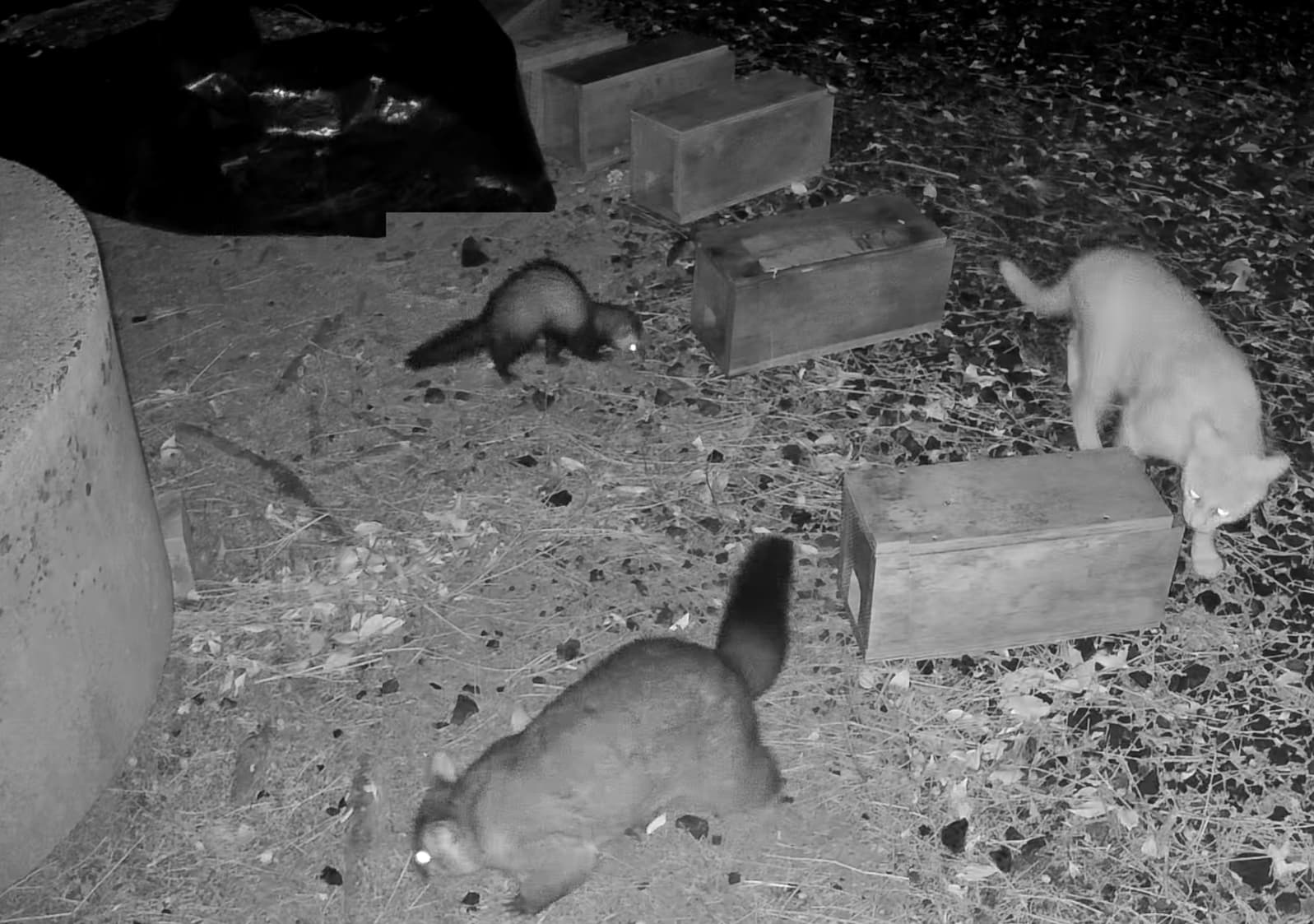
pps - there was a litter of stoats under the concrete tank on the left of the pic, the traps were for them. Unfortunately they all left the night before the traps went in. 14ish monsters on the loose
This is so cool Hamish, well done. Excuse my dumb newbie question, but in the app when you do a correction does the model then learn from that, and next time around when doing classifications will take that previous correction into account?
Just cause I had a heap of trailcam images handy I ran it on them and it didn’t go that well, but that is expected because they’re in a semi-urban setting which doesn’t match the training data and also a lot of the detections I have are small birds which your model might not have been trained for at all? So like you say, really emphasizes having the correct model/training data.
I’m pretty sure Toby has a heap of data from the trail cams outside kiwi nests, but I think a lot of it is video, not sure, but can ask him if you want to get hold of that. And DOC have a heap of cameras in the Kaitake ranges which I think are images rather than videos if you want to see if we can get that data and train up something for the local area? I know they review them pretty regularly but not sure if they keep the classified images. Do you think a general model that can handle a lot of different(ish) environments is better, or something super specific to the area training only on local data (although even in a small area the bush can change quite a lot)?
Super awesome how small the model is, you can get that bad boy deployed anywhere. And yeah, I see that UI design is not your passion (lol) my screen is obviously lower res than yours, give me a shout if you want to see what it looks like or you want a hand mucking around with the UI.
No, making a correction doesn’t feed back into the model. It’s great to get some testing there because this reinforces where I’m going with this as a project.
So my idea of a workflow would be somebody feeds in a bunch of their own images from trail cameras, and the detection model can do (a) and initial attempt at detecting (and classifying based on priority), then (b) the user can gain some time by reviewing and finalising / confirming the correct classification. Playing around with the confidence threshold may help with that workflow too.
The output, after manual review is classified and filed images, now ready for the user to train their own custom detection model. And doing so will then allow them to plug their new detection model into the application so that going forwards they should get much better detection and classification results in step (a). Tutorial for this still coming
The pay back will be very quick once a custom detection model is trained on images within a trapping project. Of the 7000 images I used to train this model, it took me approximately 3 days.
One thought I’ve had in the meantime is that I can preempt a little bit the custom model build by having the application offer to save the bounding box data text files that would then be used in custom model training. The manual review would throw out anything incorrect, but you’d still have a starting point of training data to include. This is the repetitive step where image by image, you draw a box around the target species (if seen) and label it. Having pre-sorted images into species / classes really speeds up this process.
To have a model that performs well in many different environments would I think be really challenging. Also, what species would you want the model to be specific for?
In the supplied model, I group quite a few different birds into ‘non_target’. This includes blackbirds, thrushes, magpies. Other people may be more interested in finer detail.
For KRCT, I’d be pretty keen to get hold of some video. It would be no problem to just take a bunch of frames out of the videos to include in a future model.
I’ve had this very model running on a raspberry pi zero 2w already and it does absolutely fine with it’s hardware and is surprisingly quick at running detection over images.
And yes please! I’d be very grateful for some help with the UI. It’s the bit I enjoy the least haha.
 )
)